Last updated: April 24, 2026

UPS Systems in Oman

We supply UPS systems for businesses across Oman to protect servers, networking, CCTV, workstations and other critical equipment from outages and power fluctuations. We help you choose the right UPS size, backup time and form factor based on your actual load and environment.

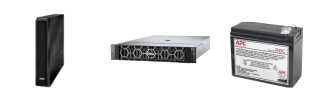
Tower UPS system
Tower UPS
Rack mount UPS
Rack UPS
UPS battery backup
Batteries
Network cabinet UPS
Network
Server UPS power protection
Servers
Office workstation UPS
Office UPS

How to Choose the Right UPS System

UPS sizing should be based on actual load, required backup time, equipment type and whether the unit will sit under a desk or in a rack cabinet.

Protected Load UPS Type Typical Use Planning Point
Single workstation Tower UPS PC, monitor, small office device Load watts and required shutdown time
Network cabinet Rack-mount UPS Switches, router, firewall, access points Rack space, runtime and battery health
Server room Online UPS Servers, storage, core network Load, runtime, bypass and monitoring
CCTV system Tower or rack UPS NVR, cameras, PoE switches Power draw and required recording time

Tower vs Rack-Mount UPS

Tower UPS units are simple for desks and small equipment. Rack-mount UPS units fit network cabinets and server racks.

UPS Formats

Tower UPS

Tower UPS

Good for workstations, small office devices and standalone equipment.

Rack mount UPS

Rack-Mount UPS

Best for network cabinets, server racks and structured IT rooms.

Online UPS

Online UPS

Useful for critical loads that need cleaner power and stronger protection.

UPS for Servers, Networking and Office Equipment

Different equipment needs different runtime and protection levels. We help select a UPS based on the cost and risk of downtime.

Servers and storage
Protect critical systems from sudden shutdowns and data loss.

Network equipment
Keep routers, switches, firewalls and Wi-Fi running through short outages.

Office equipment
Support workstations and point-of-sale devices long enough to save work or shut down.

Backup Time, Load Sizing and Runtime Planning

A UPS should not be selected by VA rating alone. We help estimate load, runtime and future expansion so the system is not undersized.

Load calculation
Estimate total watts from connected devices before selecting UPS capacity.

Runtime target
Plan whether you need a few minutes for shutdown or longer operation during outages.

Expansion margin
Leave room for future devices, battery ageing and realistic operating conditions.

Batteries, Maintenance and Expansion Options

UPS batteries wear over time. Maintenance planning helps avoid the common problem of a UPS that powers on but gives almost no backup time.

Battery replacement
Support for checking and replacing worn UPS batteries where compatible.

External battery packs
Options for longer runtime on selected UPS models.

Monitoring
Basic monitoring and alert options for server and network environments.

Common Questions

How do I know what UPS size I need?
List the devices you want to protect and their power draw. We can help calculate load and recommend a suitable UPS capacity.

Why does my existing UPS run for only a few minutes?
The battery may be old, the load may be too high, or the UPS may have been undersized from the start.

Can a UPS protect CCTV systems?
Yes. A UPS can protect the NVR, PoE switches and network equipment so recording continues during short outages.

Do rack UPS units need a special cabinet?
They need suitable rack space, depth, ventilation and power planning. We can check the cabinet before recommending a model.
Need Help Choosing the Right UPS?

Send us the equipment list and required backup time. We will help size the right UPS for your load.